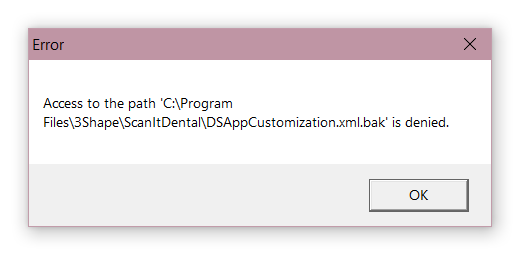
"Access to the path ...\ScanItDental\DSAppCustomization.xml.bak' is denied" error message when opening Dental Manager or trying to scan
09 November 2023 | Updated 27.7.2024
Description of the issue
This error can pop up in Dental Manager right after opening or when the user is trying to start scanning an order in ScanItDental: "Access to the path ...\ScanItDental\DSAppCustomization.xml.bak' is denied":
Affected Dental System versions: potentially any version starting from DS-2016.
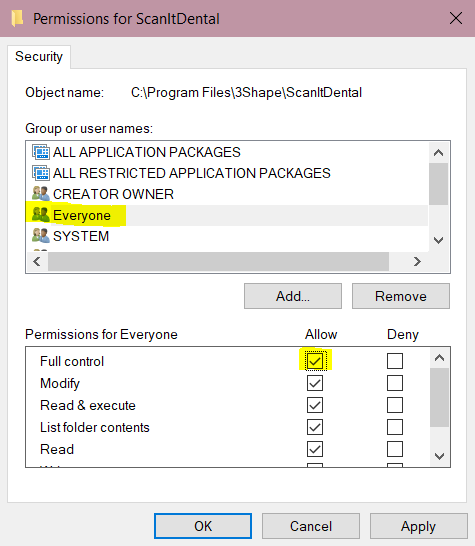
Potential root cause: ScanItDental folder doesn't have full rights for Everyone.
Solution:
- Right-click on the folder C:\Program Files\3Shape\ScanItDental and go to its Properties;
- Go to Security tab and make sure that Full Control is enabled for Everyone (if Everyone does not exist in the list, it should be added by clicking Add.. button):
- Apply changes and restart Dental Manager.
For more details on how to configure folder sharing and permissions for 3shape Dental System, with a list of the folders for which these permissions need to be enabled, please visit the article “What folders are shared during Dental System Server installation.”